Turn a 2D DWG, DXF or PDF into a verified 3D assembly
Drop the drawing you already have. DXF is read directly, DWG is converted on our own server, and PDF pages, text and linework are extracted. The parts are assembled and checked in 3D, and your company's own engineer reviews and approves the result.
- DXF read directly
- DWG converted on our own server
- Build from PDF on Premium
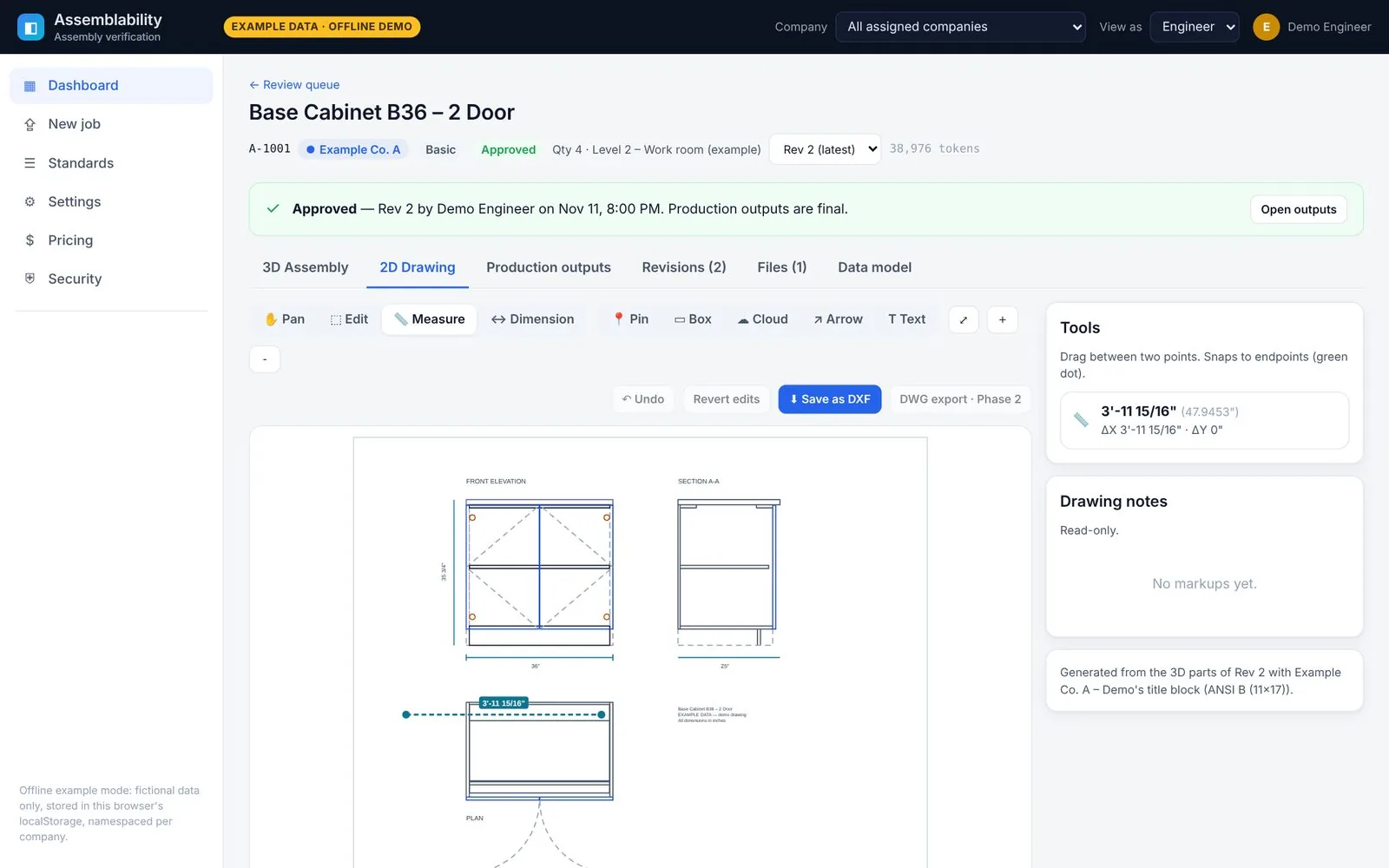
Product screens show fictional example data.
What happens to each file you drop
Everything is converted into one internal format, then assembled and checked in 3D.
DXF
DXF files are read directly. You can also export drawings as DXF from the light DXF editor.
DWG
DWG files are converted on Assemblability's own server with an open-source converter, then read like a DXF. DWG export is coming soon.
For PDFs, the pages, text and vector linework are extracted. No CAD file? On the Premium tier the platform builds the drawing and the cut list from your PDF, then your engineer reviews it.
The 3D assembly check
Clashes, gaps, contacts and missing or extra parts, with every finding written in shop units.
3D assembly check
Every part is placed in 3D and checked against its neighbours. Findings are written in shop units (feet, inches and fractions), and clicking one zooms the model to it.
- Clashes with penetration depth and overlap volume
- Gaps checked against your reveal and clearance rules, so an intended 1/8" door reveal isn't flagged
- Contacts, floating parts and missing or extra parts against the bill of materials
- Exploded view and a step-by-step assembly sequence
Exploded view
Assembly sequence
Upload & ingest
2D drawing viewer and light DXF editor
Check and correct the flat drawing without leaving the job.
- Measure in feet, inches and fractions, with endpoint snapping
- Dimension, select, move or correct an entity, and toggle layers
- Mark up with pins, boxes, clouds, arrows and text
- Save as DXF. Coming soon DWG export
Send files from your own agents and systems
Jobs can also arrive through the REST API, with signed webhooks on every status change.
API and webhooks for your agents and systems
Connect AI agents, an ERP or your own scripts. A documented REST API (OpenAPI spec) covers jobs, uploads, status, annotations, approvals and outputs.
- Signed webhooks (HMAC-SHA256, with automatic retries) on every status change
- Agent endpoint: post results and the job goes back to engineer review as a new revision
- Scoped API keys per company that expire and can be revoked. Keys can't approve jobs.
- Webhook payloads carry IDs, status and counts only, never file content or names
job.receivedjob.processingjob.engineer_reviewjob.approvedjob.returnedannotation.added
There are no prebuilt ERP connectors yet. The REST API is the integration point.
# Create a job, upload a drawing, submit it
POST /api/v1/jobs              {"name":"EXAMPLE job","tier":"premium"}
POST /api/v1/jobs/{id}/files   # multipart: PDF, DWG or DXF
POST /api/v1/jobs/{id}/submit

# Your agent posts a fixed revision
POST /api/v1/agent/jobs/{id}/results
     {"parts":[…], "note":"fixed shelf width",
      "resolvedAnnotationIds":["ann_…"]}

# After approval
GET  /api/v1/jobs/{id}/outputs/shipping-ticket

# Every webhook is signed
X-Assemblability-Event: job.returned
X-Assemblability-Signature: t=…,v1=<HMAC-SHA256>
Send what you have
Pick a tier based on how finished your drawings are. The platform does the work; your company's engineer reviews and approves every job, whatever the tier.
Basic
You send a ready DWG or DXF.
- 3D assembly check of your parts
- Your engineer's review and approval
- Full production kit
Premium
You send a raw PDF. The platform builds the drawing and the cut list, then your engineer reviews it.
- Drawing and parts model created for you from the PDF
- 3D assembly check and your engineer's review
- Full production kit
Hybrid
A mix of ready drawings and raw PDFs.
- Premium processing only where you need it
- Same review loop and your engineer's sign-off
- Full production kit
Explore Assemblability
Architectural millwork
Check every millwork part in 3D before it is cut, and get a shop-ready kit.
Casework and cabinets
Cut lists, CNC nests, labels and shipping tickets per finished cabinet.
Security and privacy
Per-company encryption, signed expiring downloads and a tamper-evident audit log.
Tiers and pricing
Basic, Premium and Hybrid tiers, with a monthly drawing allowance.
FAQ
File formats, approvals, privacy, integrations and the pilot.
Request a demo
Tell us a little about your shop. We're onboarding a small number of millwork and casework teams.
Thanks for your interest.
Nothing was sent or stored. Online requests open soon; a contact address will be published on this page.