Casework that goes together the first time
Cabinets are checked in 3D against your company's quality grade, reveals, shelf clearances and scribe tolerances. After your engineer approves, you get a saw cut list, a separate CNC nest on 4×8 sheets, work orders, and labels and shipping tickets counted per finished cabinet, never per part.
- Saw cut list and CNC nest kept separate
- Labels and shipping per finished product
- Your engineer signs off every job
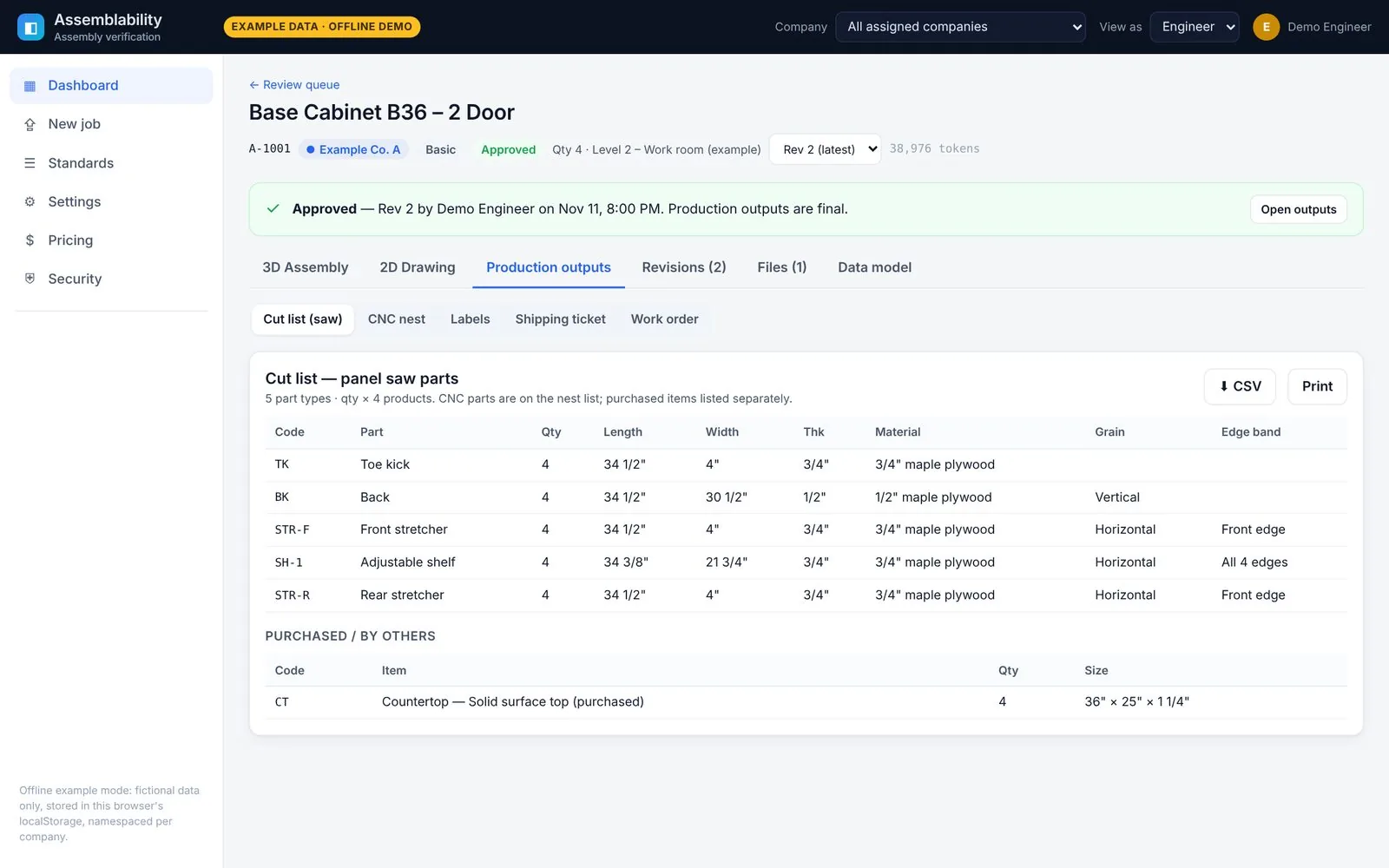
Product screens show fictional example data.
Cut lists, nests, labels and shipping tickets
A cabinet ships as one cabinet. Labels, the shipping ticket and the shipping checklist have one line per finished product.
Production outputs
Approval freezes the model, and the shop package is generated from that approved version.
- Saw cut list (saw parts only) and a separate CNC nest on 4×8 sheets
- Work orders per product
- Labels, shipping ticket and shipping checklist: one line per finished product, never per part. A cabinet ships as one cabinet.
- CSV download and print views
Checked against your company standards
Each company sets its rules once, and every job is checked and laid out against them.
Company standards
Each company sets its own rules once, and every job is checked and laid out against them. Standards stay inside that company's workspace.
- Quality grade (Economy, Custom, Premium) with AWI-inspired checks
- Door and drawer-front reveals, shelf clearances and scribe tolerances
- Materials, title block and drawing layout, label format, production kit and shipping list
The built-in checks are modelled on common AWI practice. They are not an AWI certification.
Dashboard and job queue
Every job sits on one board: Received, Processing, Engineer Review, Approved and Returned. Clients see their own progress as it happens. Your team sees where work is piling up.
- Job cards with tier, quantity, revision and fit status
- Client view shows only that company's jobs
- Internal view adds bottlenecks, queue depth and per-job processing usage
Most fit problems are found on the shop floor. That's the most expensive place to find them.
Drawings arrive in every format and level of finish. Parts get re-keyed by hand, and nobody puts the whole cabinet together until it's already built.
Parts that don't fit
A shelf that's 1/8" too wide, a back that runs into the bottom, a stretcher nobody drew. You find out at assembly.
Rework and recuts
Every miss means new material, more machine time and a slipped install date, plus the back-and-forth to work out what changed.
Manual cut lists
Cut lists, labels and shipping lists are typed by hand from drawings, so every handoff is another chance for a typo.
Up and running in four plain steps
A short guided setup with sensible defaults. You can skip any step and come back to it later.
Set up your company
Name it and pick a default quality grade.
Upload your standards
Add your title block, labels, kit and shipping formats, or start from the defaults.
Invite your team
Add seats and choose each person's role, including your engineer, who reviews every job.
Drop your first job
Upload a drawing and watch it move through the queue.
Explore Assemblability
Architectural millwork
Check every millwork part in 3D before it is cut, and get a shop-ready kit.
DWG, DXF and PDF assembly check
What happens to each file format, from upload to verified 3D assembly.
Security and privacy
Per-company encryption, signed expiring downloads and a tamper-evident audit log.
Tiers and pricing
Basic, Premium and Hybrid tiers, with a monthly drawing allowance.
FAQ
File formats, approvals, privacy, integrations and the pilot.
Request a demo
Tell us a little about your shop. We're onboarding a small number of millwork and casework teams.
Thanks for your interest.
Nothing was sent or stored. Online requests open soon; a contact address will be published on this page.